
The Special Price Offer is available under Buyer’s Zone from the homepage as shown below-
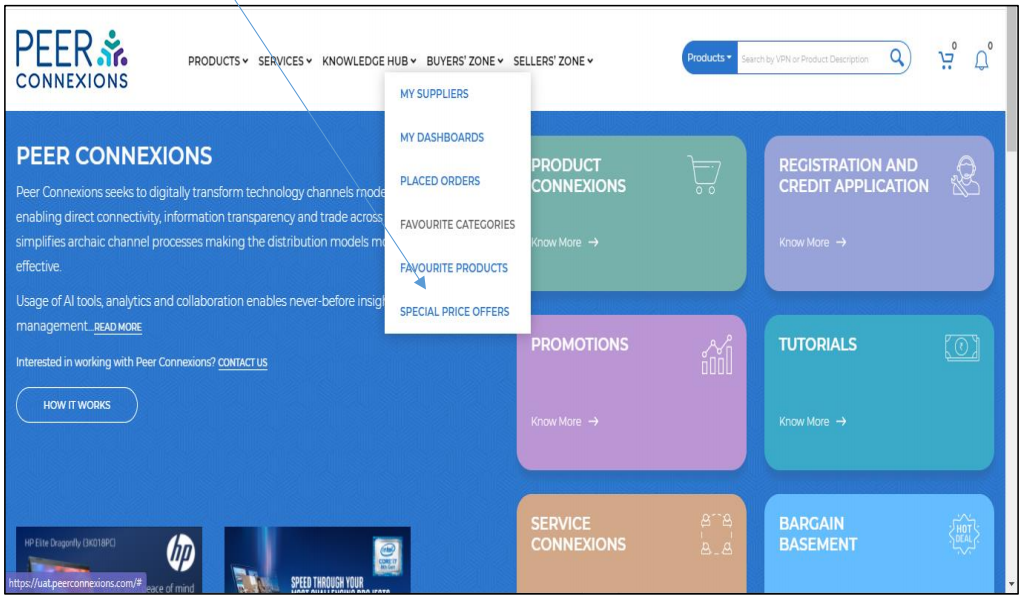
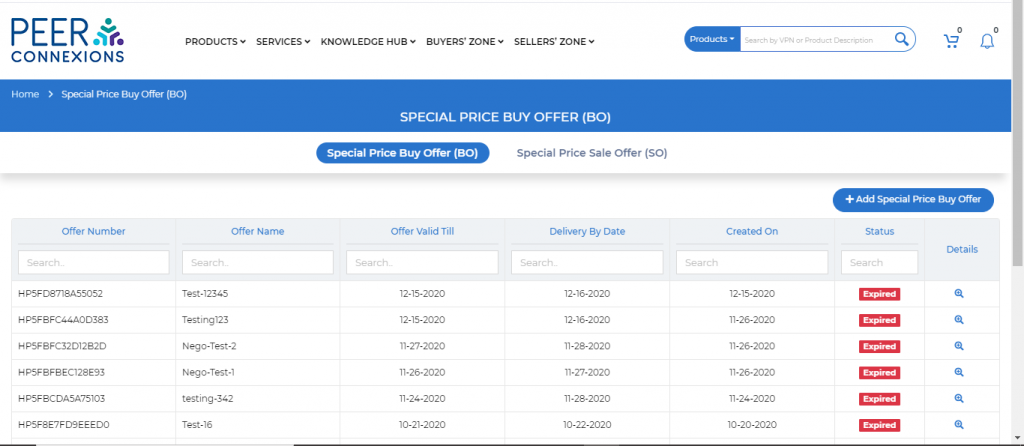
Once you click on it, you will be directed to a new page as shown below. On this page choose the ‘Special
Price Sale offer’ option.
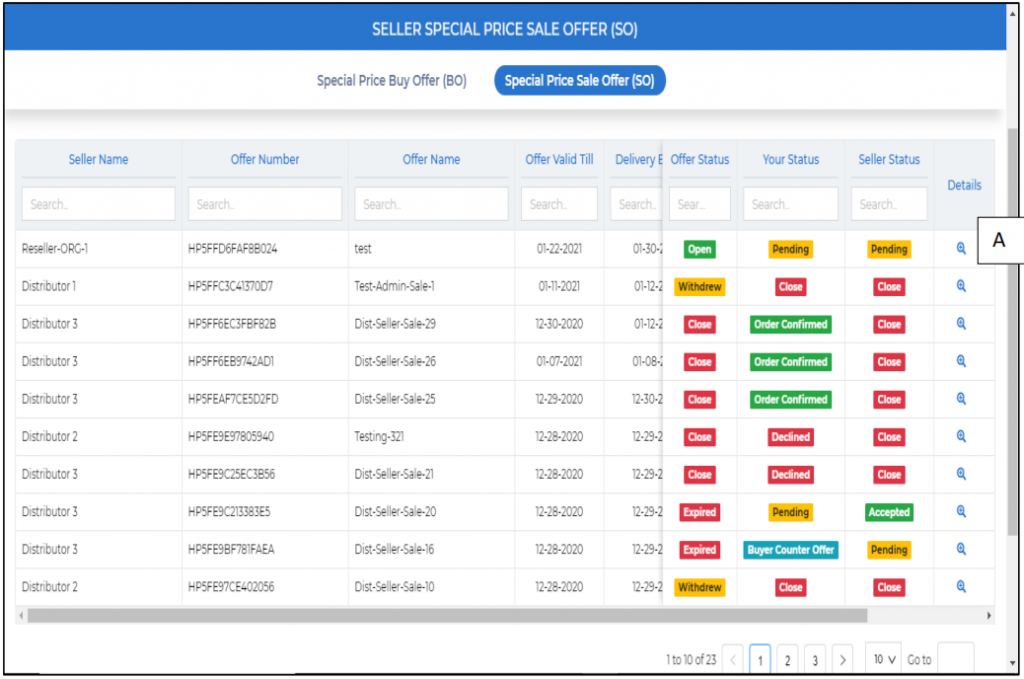
Here you will see the list of all offers created by the seller and also the Offer Status.
As we can see, there are two statuses which say ‘Your Status’ (which means Buyer’s Status) and the other one is the Seller Status. Now, in the first offer, it shows ‘Pending’ under ‘Your status’, so to see the offer details, click on the magnifying glass icon under the ‘Details’ column (A).
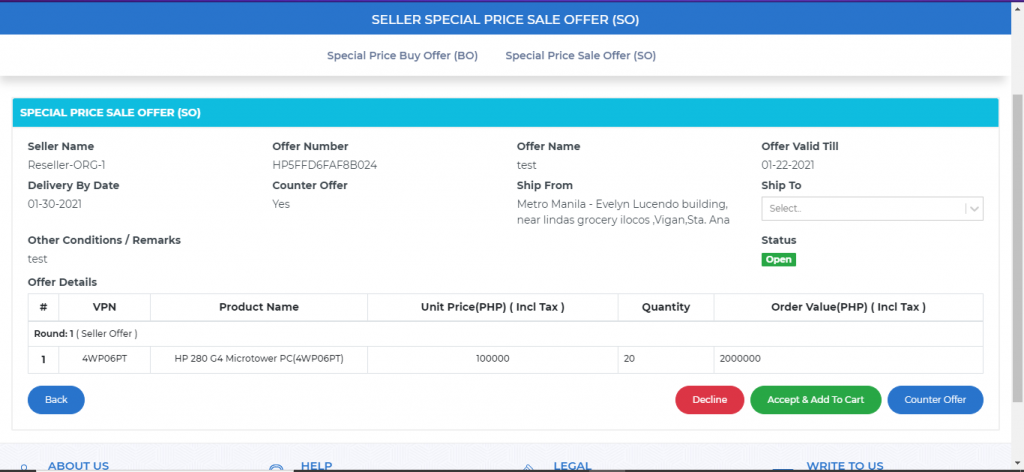
As seen, there are three actions to take on the offer, ‘Accept and Add to Cart’, ‘Decline’ and ‘Counter Offer’.
If you want to buy the product with the quantity and price stated by the Seller, you can choose the ‘Accept and Add to Cart’ option.
If you do not want to do any transaction with the seller, you can Decline the offer.
The third option is the ‘Counter Offer’, this will only be available if the seller has allowed a counter offer to be made when they created the Special Price Sale Offer.
When you click on the ‘Counter Offer’ Button, you will see the option to submit the counter offer as shown below-
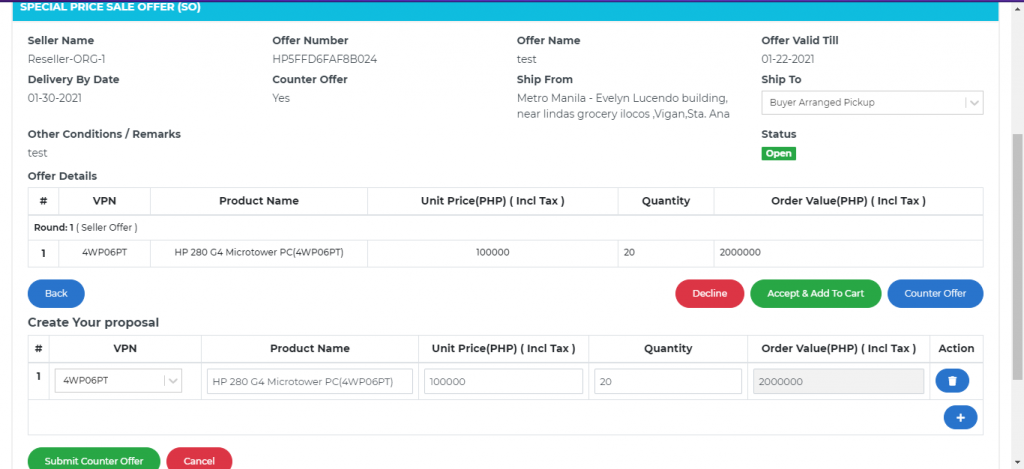
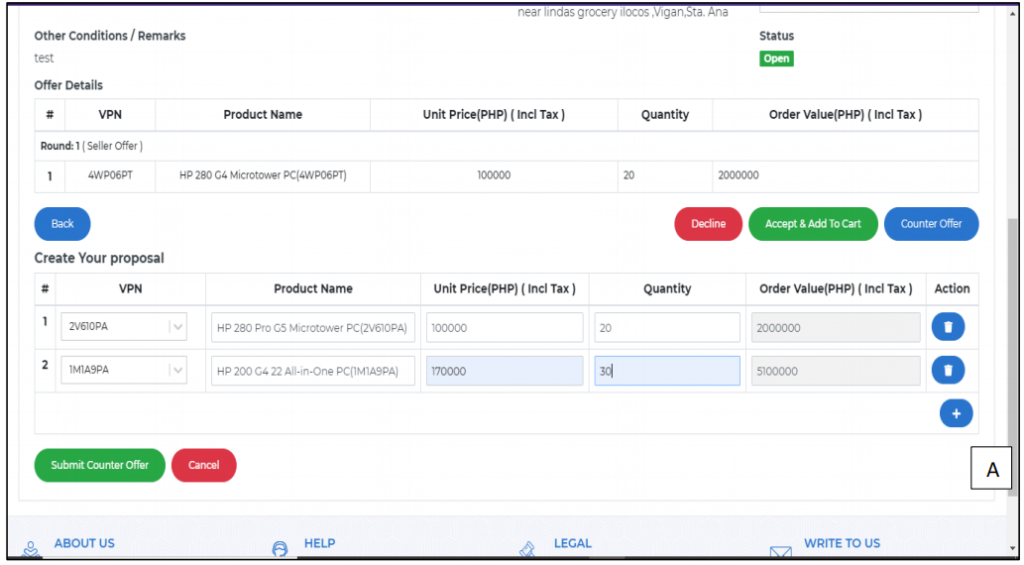
Here, you can add the required product, price, quantity for which you want to create a counter offer. If you do not want to buy the VPN offered by the seller, you can delete that VPN and/or add another VPN as per your offer. To add another VPN click on the (+)(A) icon as shown below. Multiple VPN’s can be added thus. Once all details are filled, you can click on ‘Submit Counter Offer’ to submit the Counter Offer.
On submission, a success message will be displayed as shown in the subsequent screen-shot.
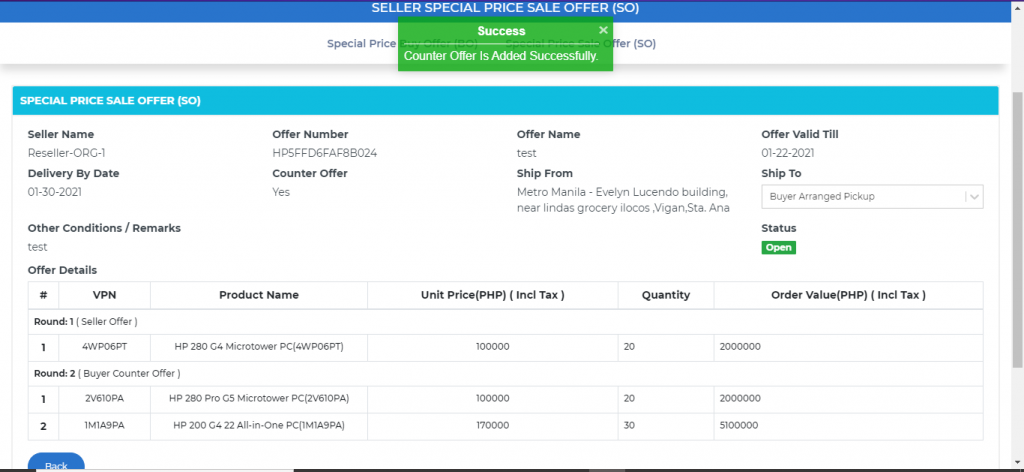
Now, you can click on the ‘Back’ button and you will see that the status of the offer has changed under ‘Your Status’ column to ‘Buyer Counter Offer’ as shown below and now, you will have to wait till the seller takes an action from their side.
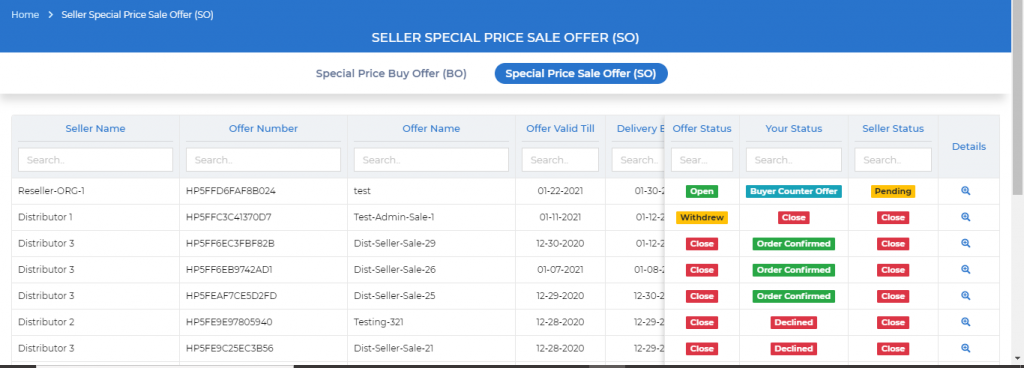
The Seller can either create a counter offer for your offer or they can directly accept your counter offer.
If they create a counter offer, you will be able to see the offer details as below-
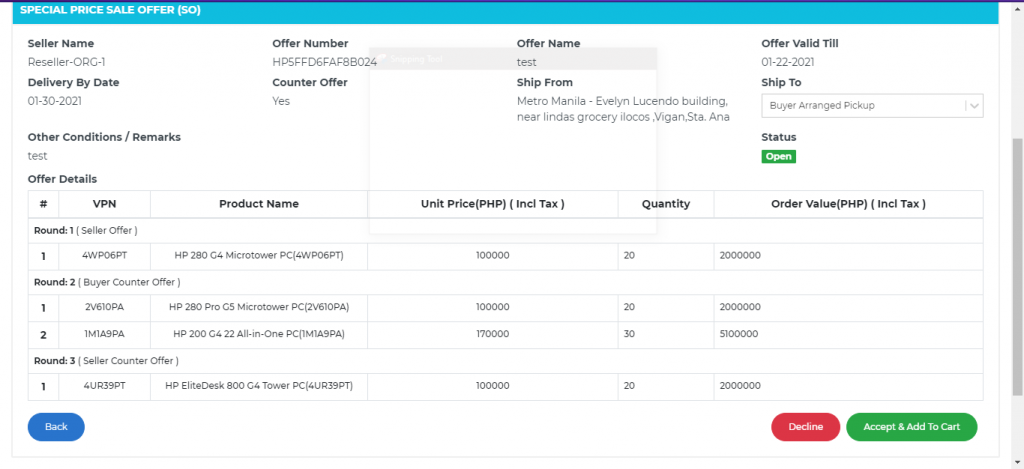
Now, you have the options to either ‘Accept & Add to Cart’ or ‘Decline’ as this is the third round.
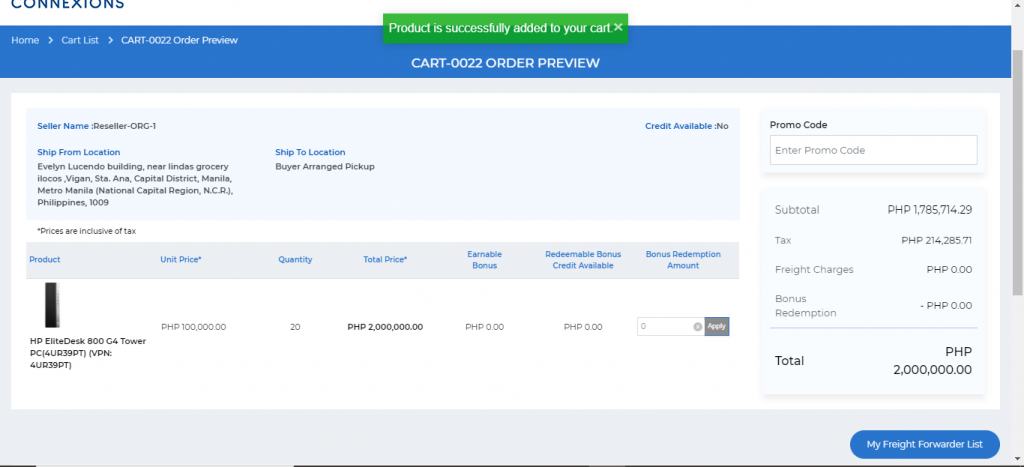
Here, if you ‘Accept & Add to cart’, the product will be added to the cart as shown below-
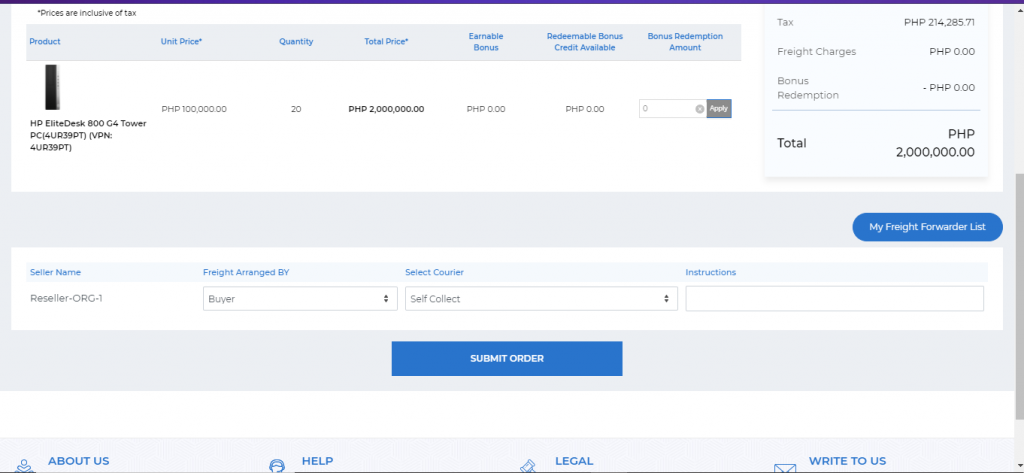
Now you can scroll down and click on submit order as shown below-
This should help you with using the Special Price Sale offer with ease.
————————————————End of Document————————————————-