
Manage Annuity
On Peer Connexions portal we have an annuity program where you can manage annuity and send reminders for their renewal time.
Once you click on services, you will see a drop down menu, under the Annuity program option, select Manage annuity as seen below.
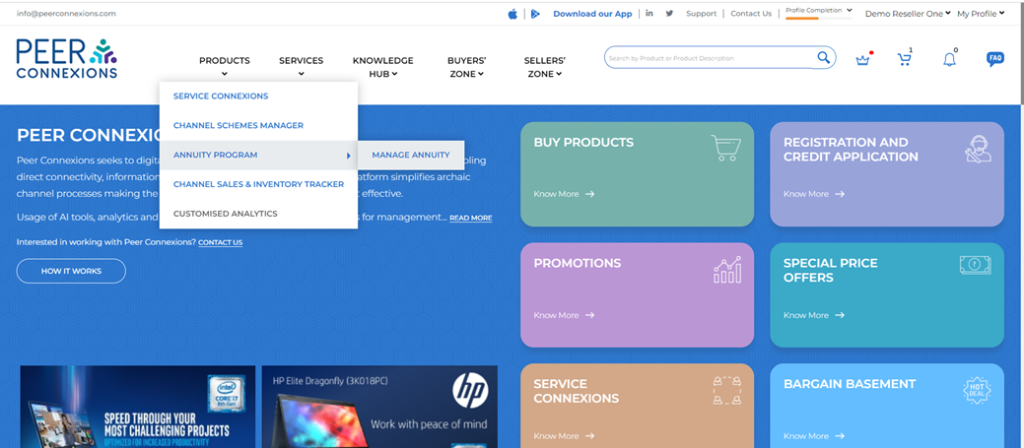
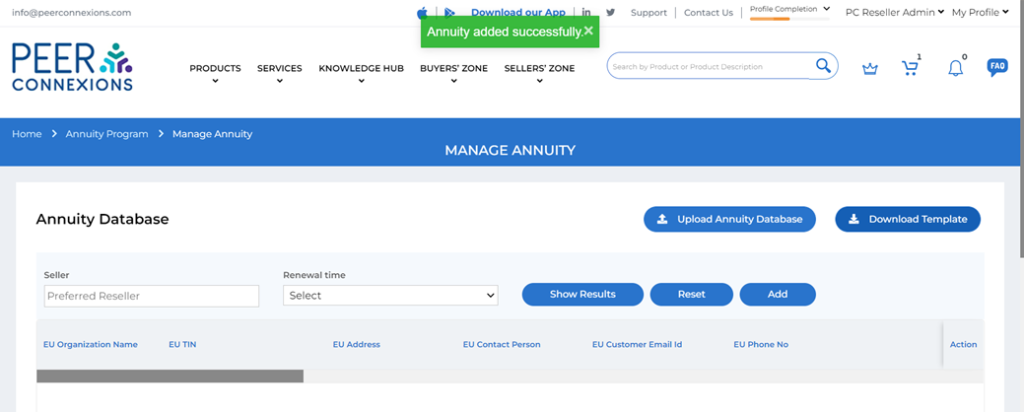
Once you click it, you will be redirected to the Manage annuity page as below.
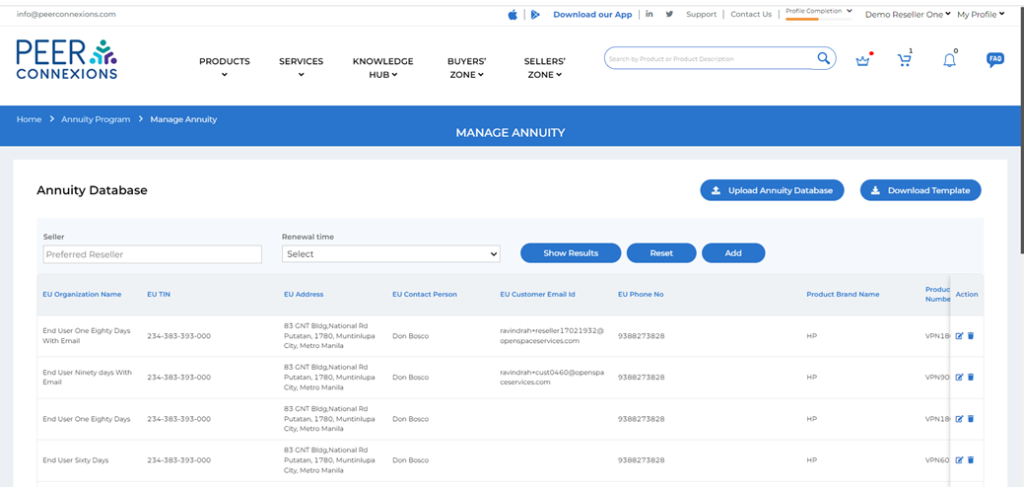
Here you can add the entry by two ways-
1. Click on option “ADD” and you will see the form as shown below, where all the details need to be filled. The one marked with * are mandatory fields for the data to be added.
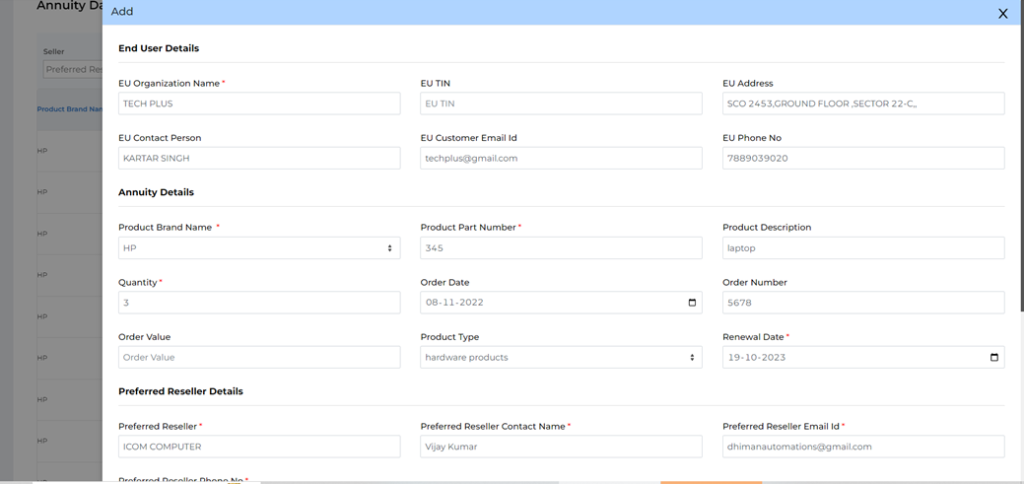
Once you have added all 3 mandatory fields – End user details, Annuity Details, Preferred reseller details and 1 optional field – Alternate reseller details you can click on add.
2. For bulk data uploads, Click on download template present on the right side.
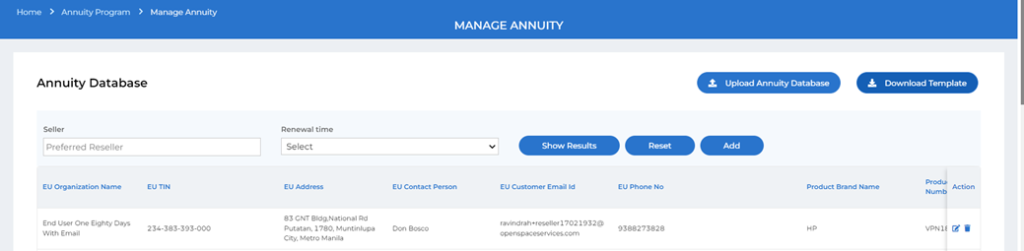
The guidelines to upload valid data is present in the template, All the columns highlighted in yellow are mandatory fields. Drop down option is available to fill the product brand name and product type. All Vpns can be added even which are not available in the systems. The Vpns which are already present in the system will take its description automatically from the system.
You need to fill the data as shown below-
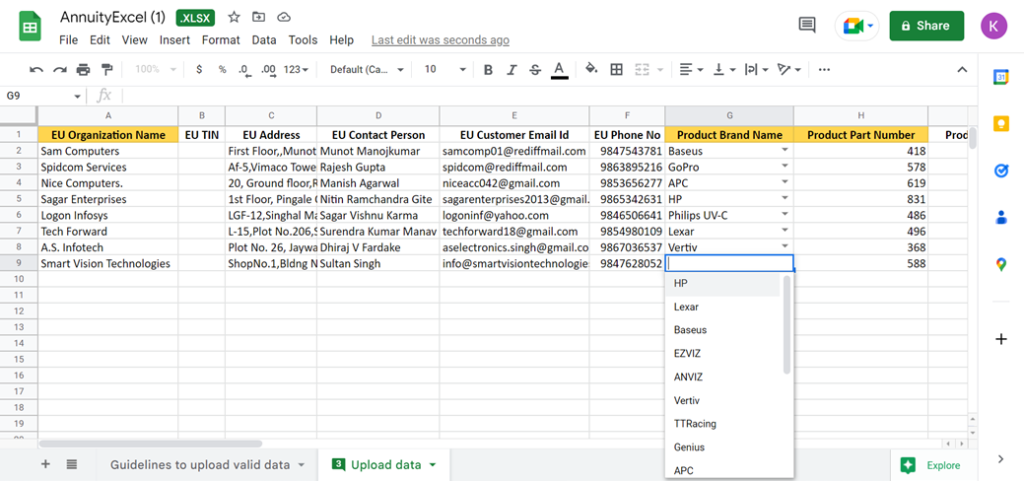
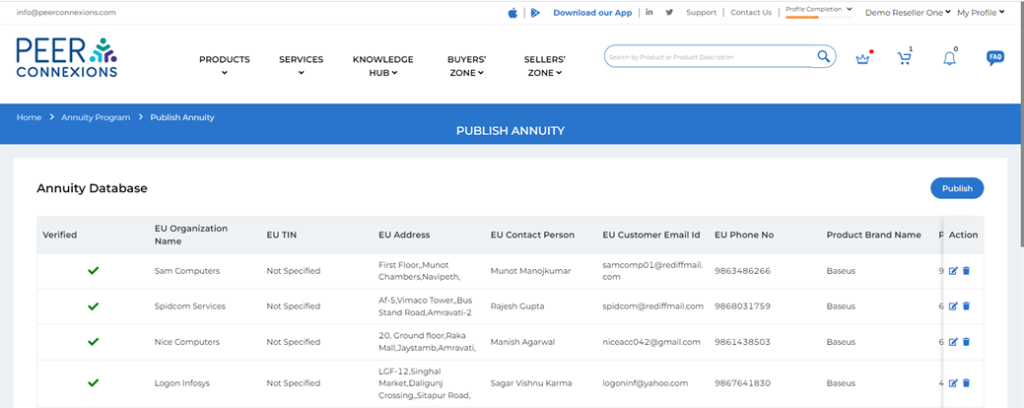
Once the data is filled, select “Upload Annuity Database” from the platform and browse your saved fill and upload it. You can preview your data and edit and remove the entry here.
Click on the publish button to upload and “Annuity added successfully” will appear on screen.
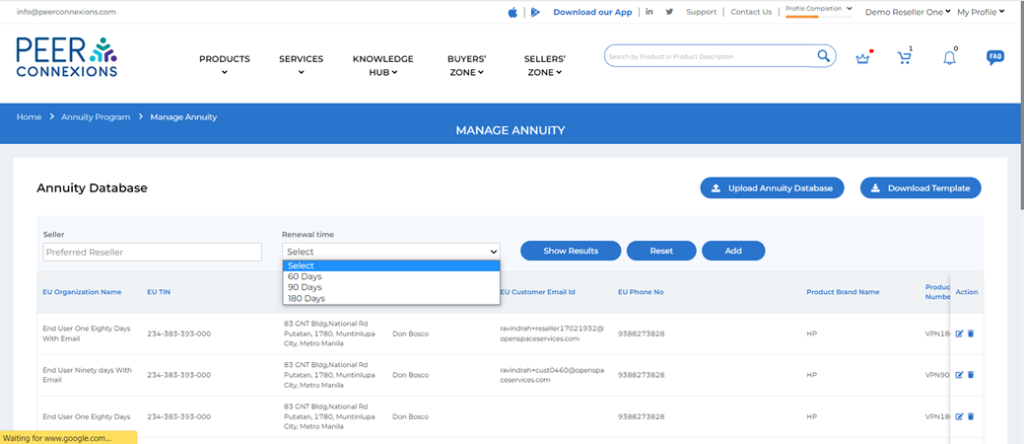
When you have uploaded the data, you can browse through your data and filter on the basis of preferred reseller or Renewal time left ( 60 Days, 90 Days and 180 Days ) as shown below–
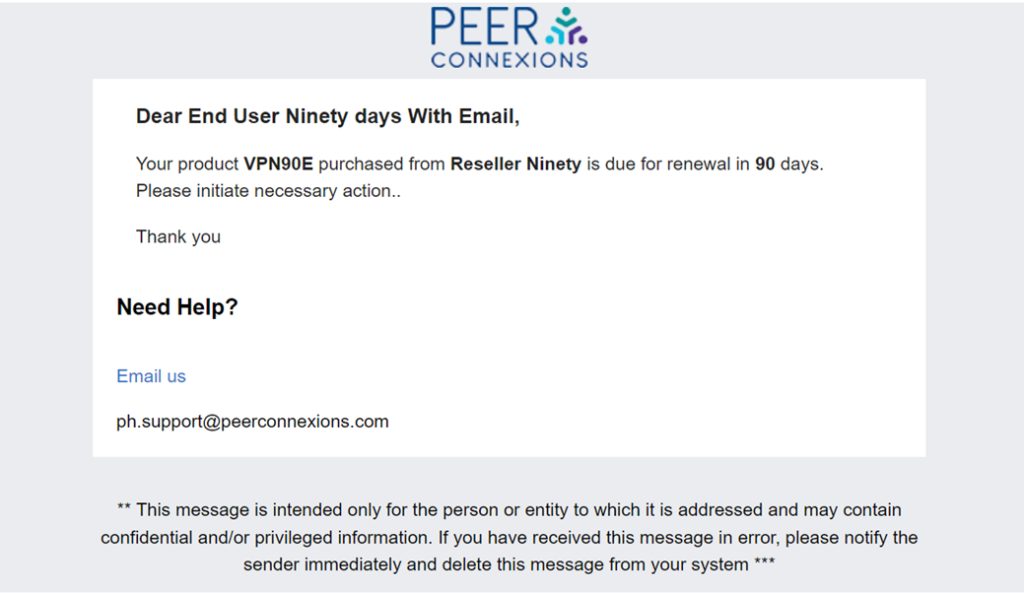
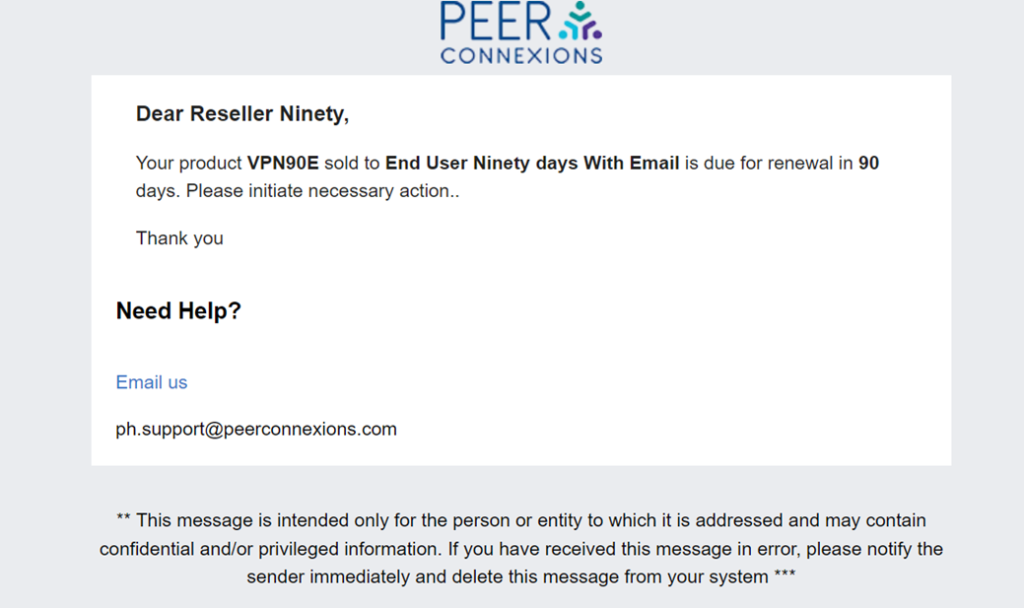
The mail for reminders will be triggered to both end user mail ID and preferred reseller mail Id when both the fields for End User and Preferred Reseller email ids are filled as shown below for renewal due.
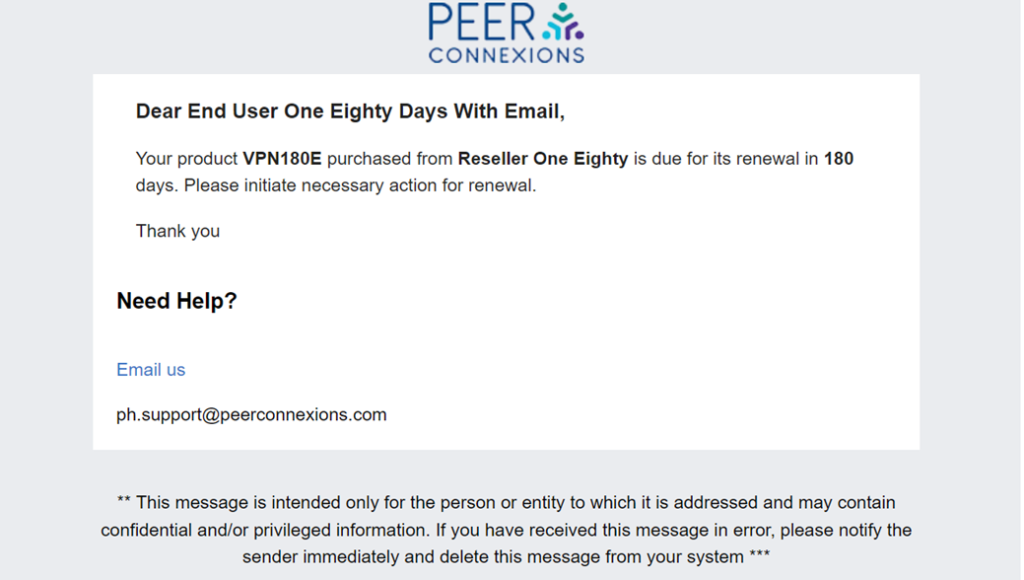
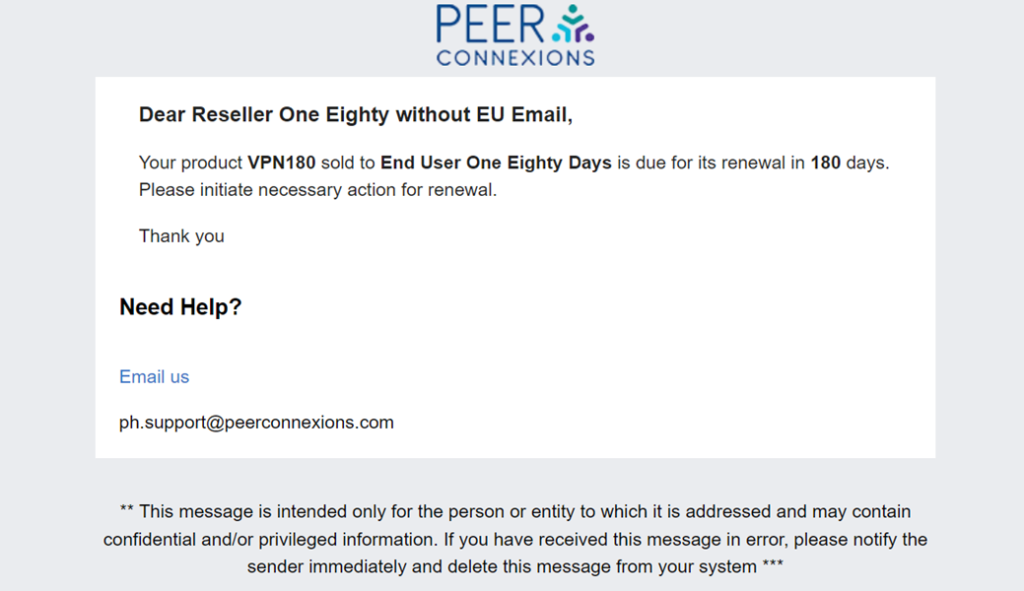
Preview of Reminder mail for renewal due in 90 and 180 days –
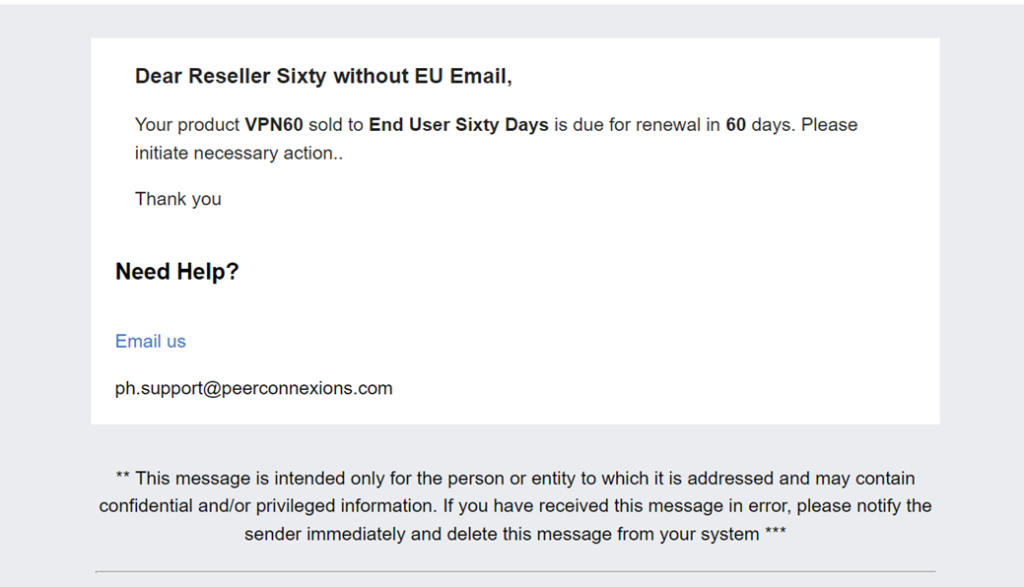
When the end user email id is not present it will be sent to the preferred reseller mail id.
Preview of Reminder mail for renewal due in 60 and 180 days –
—————Thank You :-)—————